Skip to content
heic.fyi

Test files

HEIC sample files

29 free HEIC and HEIF files for testing viewers, converters and parsers. Each one checks a single thing, from orientation and colour profiles to tiled grids, depth maps and deliberately broken files. Public domain (CC0), no credit needed.

The ZIP holds every file below plus SHA256SUMS, the licence and the generator scripts. Also available on their own: SHA256SUMS · manifest.json · LICENSE.txt

Files
29
Total size
9.8 MB
Licence
CC0 1.0
Checked
11 October 2026

Every file was decoded and checked by a script before publishing, and opened in our own HEIC viewer. The properties listed under each file were read from the file itself, not copied from the encoder settings. Previews were rendered from the decoded pixels, so you can compare them with what your software shows.

Everyday HEIC files

Start here. One plain image, the tiled layout that phone cameras use for full-size photos, and a file with the metadata most people care about.

Preview of basic-8bit-srgb.heic: Basic HEIC, 8-bit sRGB

Basic HEIC, 8-bit sRGB

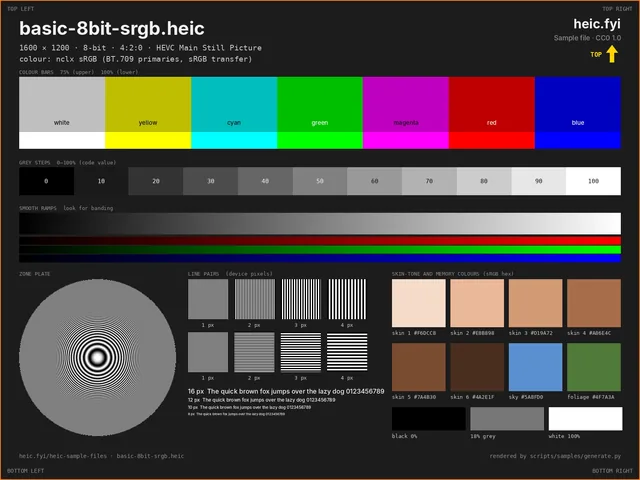
basic-8bit-srgb.heic

The simplest useful HEIC: one 1600 × 1200 HEVC image, 8-bit 4:2:0, tagged sRGB with an nclx colour box. If this does not open, nothing else on this page will.

Should look like

A dark test chart with colour bars, grey steps, smooth ramps, a zone plate, line pairs and skin-tone patches. The orange frame shows on all four edges and the yellow TOP arrow points up.

Signs of a problem

Colours clearly shifted against the preview here usually mean the YCbCr-to-RGB conversion is wrong, not that the file is damaged.

File size
178.8 KB (183,061 bytes)
Dimensions
1600 × 1200
Codec
HEVC Main Still Picture · 8-bit · 4:2:0
ftyp brands
heic (compatible: mif1, heic, miaf)
Colour
nclx 1/13/6 full range (BT.709/sRGB, sRGB, BT.601)
SHA-256
3fe7d32e5568f8bfd6b5d3290e61ac9b964d08464d388fa064f69cddddfee82c
How we checked this file
  • PSNR against the source render: 36.9 dB
  • Decoded with libheif 1.23.4 via pillow-heif 1.8.0.
  • In the heic.fyi viewer: opens at 1600 × 1200.
Preview of grid-12mp-512px-tiles.heic: Tiled 12 MP image (512 px grid)

Tiled 12 MP image (512 px grid)

grid-12mp-512px-tiles.heic

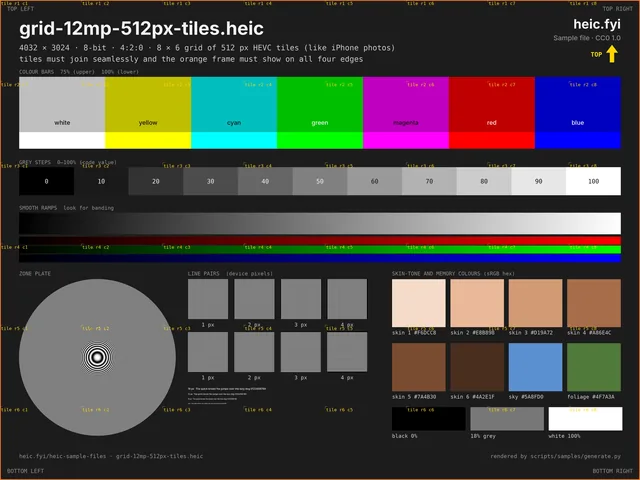
A 4032 × 3024 picture stored as an 8 × 6 grid of 512 × 512 HEVC tiles. The tiles cover 4096 × 3072, so the decoder must join them and then crop the right and bottom edges.

Should look like

Tile labels run in order from r1 c1 to r6 c8, the bars, ramps and zone plate continue across tile edges without seams, and the thin orange frame shows on all four edges.

Signs of a problem

Shuffled labels, visible seams, a missing frame on the right or bottom, or a 4096 × 3072 result mean the grid is assembled or cropped wrongly. A reader that does not understand grids may show a single tile or nothing.

File size
783.6 KB (802,404 bytes)
Dimensions
4032 × 3024
Codec
HEVC Main Still Picture · 8-bit · 4:2:0
ftyp brands
heic (compatible: mif1, heic, miaf)
Colour
nclx 1/13/6 full range (BT.709/sRGB, sRGB, BT.601)
Features found in the file
  • Grid image: 8 × 6 tiles of 512 × 512 px (48 tile items)
SHA-256
ed14b6e639fc61ce19b933163579ea23f226aa2f0a78cb757753628bcee0e55e
How we checked this file
  • Orange frame present on all four edges after decoding (grid output crop is correct)
  • PSNR against the source render: 34.3 dB
  • Decoded with libheif 1.23.4 via pillow-heif 1.8.0.
  • In the heic.fyi viewer: opens at 4032 × 3024.
Preview of exif-gps-date.heic: Exif with GPS and capture date

Exif with GPS and capture date

exif-gps-date.heic

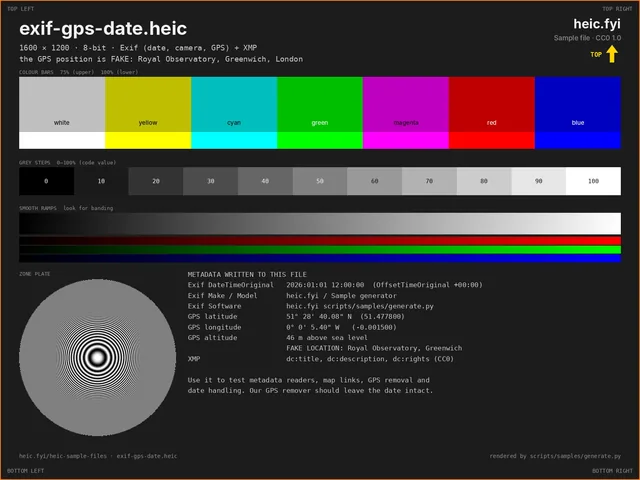
Metadata readers and privacy tools. The file has an Exif block (capture date with time-zone offset, camera make and model, GPS position and altitude) and an XMP packet.

Should look like

DateTimeOriginal 2026:01:01 12:00:00, offset +00:00; GPS 51.4778° N, 0.0015° W, 46 m; Make “heic.fyi”, Model “Sample generator”. The position is fake: it points at the Royal Observatory, Greenwich.

Signs of a problem

A longitude shown as east has lost the GPS reference letter. A GPS remover should drop the position and keep the capture date.

File size
187.0 KB (191,464 bytes)
Dimensions
1600 × 1200
Codec
HEVC Main Still Picture · 8-bit · 4:2:0
ftyp brands
heic (compatible: mif1, heic, miaf)
Colour
nclx 1/13/6 full range (BT.709/sRGB, sRGB, BT.601)
Features found in the file
  • Exif metadata item
  • XMP metadata item
SHA-256
01fd9fa28d09885d8482d01a5b36d88dc89fde3b7cfeaca50b70f8314d2c63d1
How we checked this file
  • Exif reads back: DateTimeOriginal 2026:01:01 12:00:00 +00:00, GPS 51.477800 N 0.001500 W, altitude 46 m; XMP present
  • Decoded with libheif 1.23.4 via pillow-heif 1.8.0.
  • In the heic.fyi viewer: opens at 1600 × 1200.

Orientation test set (1–8)

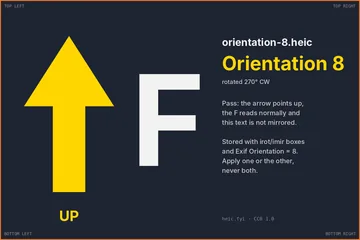
Eight files, one for each Exif orientation value. Each stores its pixels turned or mirrored and records how to undo that in two places: the HEIF transform properties (irot for rotation, imir for mirroring) and the Exif Orientation tag. HEIF readers should apply the transform properties and must not rotate a second time because of the Exif tag.

Should look like

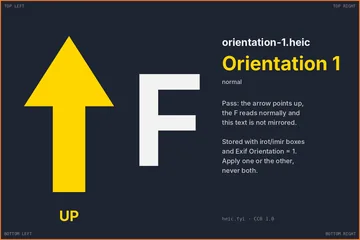
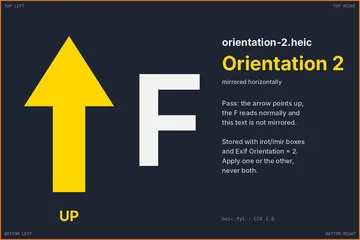
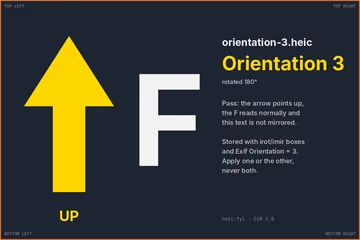
Every file shows the yellow arrow pointing up, the letter F the right way round and text that reads normally. Apart from the number, all eight look the same, at 1200 × 800. Files 5 to 8 are stored as 800 × 1200, so a correct result also swaps width and height.

Signs of a problem

An arrow pointing sideways or down means a transform was ignored or applied twice. A backwards F means the mirror was ignored; files 2, 4, 5 and 7 need one.

  1. Preview of orientation-1.heic: the arrow points up after decoding

    1. Normal

    orientation-1.heic

    Stored 1200 × 800. Exif Orientation 1. No HEIF transform.

    SHA-256

    e0bfbe92834aefccf7292888b202de6e6821e96183c921b051f4d2e7ae70d332

  2. Preview of orientation-2.heic: the arrow points up after decoding

    2. Mirrored left–right

    orientation-2.heic

    Stored 1200 × 800. Exif Orientation 2. HEIF: imir mode 1, left–right mirror.

    SHA-256

    3a316089f67cb43b6f92667b964c3ebff2542c72db1f1d0328f400fa5db48111

  3. Preview of orientation-3.heic: the arrow points up after decoding

    3. Rotated 180°

    orientation-3.heic

    Stored 1200 × 800. Exif Orientation 3. HEIF: irot 180° anticlockwise.

    SHA-256

    09e326752dbc8bce85c9c65a03de22aec67c4490b1258cce1357385c9b4bdd7d

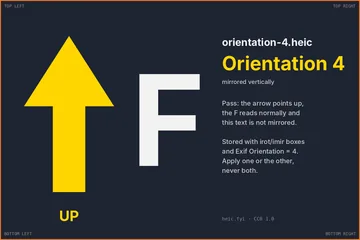
  4. Preview of orientation-4.heic: the arrow points up after decoding

    4. Mirrored top–bottom

    orientation-4.heic

    Stored 1200 × 800. Exif Orientation 4. HEIF: imir mode 0, top–bottom mirror.

    SHA-256

    39b4d1de9d59db599c4b8728900d1d43fd4b66250ab21c71374425e1d94c875b

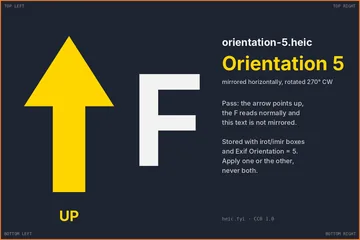
  5. Preview of orientation-5.heic: the arrow points up after decoding

    5. Mirrored, then rotated 270° clockwise

    orientation-5.heic

    Stored 800 × 1200. Exif Orientation 5. HEIF: imir mode 1, left–right mirror, irot 270° anticlockwise.

    SHA-256

    51f891e23f8942ae765452043d5aff209e1e0c08a4a9ea46785789f53f6df8c0

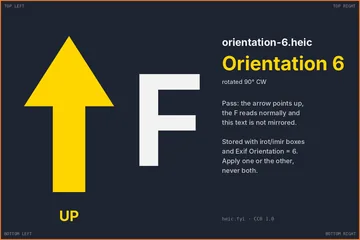
  6. Preview of orientation-6.heic: the arrow points up after decoding

    6. Rotated 90° clockwise

    orientation-6.heic

    Stored 800 × 1200. Exif Orientation 6. HEIF: irot 270° anticlockwise.

    SHA-256

    80b615ae433d7ec53e9aaaeee081ecd11c0d9931350da13d6ce4e2b363d12c12

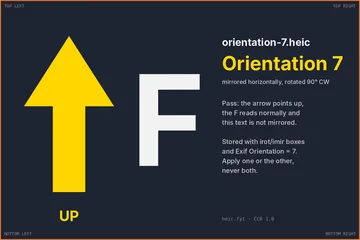
  7. Preview of orientation-7.heic: the arrow points up after decoding

    7. Mirrored, then rotated 90° clockwise

    orientation-7.heic

    Stored 800 × 1200. Exif Orientation 7. HEIF: imir mode 0, top–bottom mirror, irot 270° anticlockwise.

    SHA-256

    9a37bc72a54e6b2c39fd5a4e4e3d87d40eb636e91c03095bb1225c327eda1b50

  8. Preview of orientation-8.heic: the arrow points up after decoding

    8. Rotated 270° clockwise

    orientation-8.heic

    Stored 800 × 1200. Exif Orientation 8. HEIF: irot 90° anticlockwise.

    SHA-256

    3bf743e5ce553ea01a8d6b2747e06abfeb05d19c6e492d62840a19f7c4afc634

Every file was decoded with libheif and compared with the upright chart, and opened in the heic.fyi viewer, where the arrow points up in all eight. View Exif orientation tags

Colour, bit depth and chroma

Files that look fine in a careless viewer and wrong in a careful one, or the other way round. Compare each with its preview here, which was rendered from the decoded pixels.

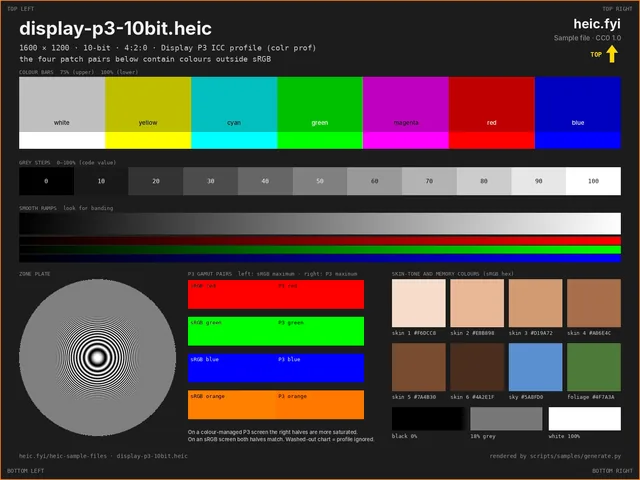
Preview of display-p3-10bit.heic: Display P3, 10-bit
Preview converted to sRGB, so the P3 pairs look identical here.

Display P3, 10-bit

display-p3-10bit.heic

Colour management. A 10-bit image with a Display P3 ICC profile in a colr box, plus four patch pairs that sit outside sRGB: the left half is the most saturated colour sRGB can show, the right half the P3 primary.

Should look like

Greys and skin tones match the preview. On a P3 screen in a colour-managed viewer the right half of each pair is more saturated than the left; on an sRGB screen the two halves look the same.

Signs of a problem

If the whole chart looks duller than the preview, the viewer is ignoring the ICC profile and treating P3 values as sRGB.

File size
161.8 KB (165,698 bytes)
Dimensions
1600 × 1200
Codec
HEVC Format Range Extensions (RExt) · 10-bit · 4:2:0
ftyp brands
heix (compatible: mif1, heix, miaf)
Colour
ICC profile “Display P3 (heic.fyi sample, CC0)” (600 bytes)
SHA-256
ad1a2e753f04071074c2c7cac8ac0b28d1c31b4dcc40ab3cb8894aad47b7e3a1
How we checked this file
  • ICC round trip: P3-encoded sRGB green, red and grey convert back to sRGB within 3/255
  • P3 red patch decodes to (0.998, 0.001, 0.000); sRGB red in P3 decodes to (0.917, 0.200, 0.139)
  • Decoded with libheif 1.23.4 via pillow-heif 1.8.0.
  • In the heic.fyi viewer: opens at 1600 × 1200; converted to sRGB: both halves of the red pair draw as (255, 0, 0).
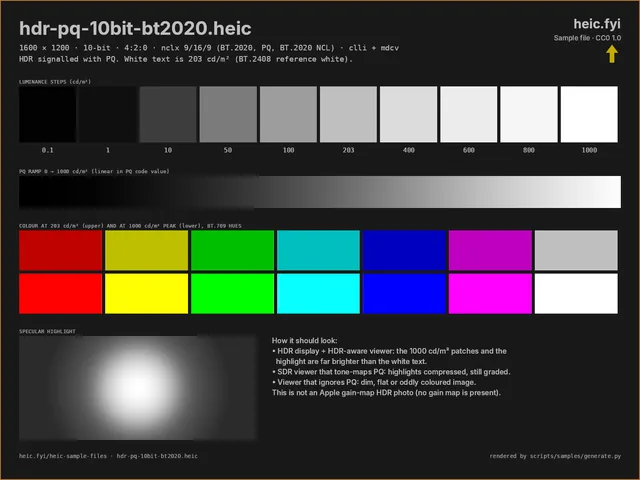
Preview of hdr-pq-10bit-bt2020.heic: HDR: PQ, BT.2020, 10-bit
Preview tone-mapped to SDR; the file itself is PQ HDR.

HDR: PQ, BT.2020, 10-bit

hdr-pq-10bit-bt2020.heic

HDR signalling. The colour box declares BT.2020 primaries with the PQ (SMPTE ST 2084) transfer, and the file carries content light level (clli) and mastering display (mdcv) boxes. Patches run from 0.1 to 1000 cd/m².

Should look like

On an HDR screen in an HDR-aware viewer the 400 to 1000 cd/m² patches and the highlight are much brighter than the white text, which sits at 203 cd/m². A viewer that tone-maps PQ to SDR shows compressed but still graded highlights, like the preview here.

Signs of a problem

A flat, washed-out, low-contrast chart means the PQ transfer is being ignored. Our own browser viewer does this: it draws to a standard canvas and does not tone-map PQ.

File size
75.1 KB (76,897 bytes)
Dimensions
1600 × 1200
Codec
HEVC Format Range Extensions (RExt) · 10-bit · 4:2:0
ftyp brands
heix (compatible: mif1, heix, miaf)
Colour
nclx 9/16/9 full range (BT.2020, PQ (SMPTE ST 2084), BT.2020 NCL)
Features found in the file
  • Content light level (clli): MaxCLL 1000 cd/m², MaxFALL 136 cd/m²
  • Mastering display (mdcv): 1000 / 0.005 cd/m²
SHA-256
eb3a889d4833996f087951b4f680546ea51e8af71dedf2f078a71224408e6154
How we checked this file
  • Luminance patches decode to 0.101, 0.99, 10, 49.6, 99.7, 202, 399, 595, 793, 992 cd/m² (targets 0.1, 1, 10, 50, 100, 203, 400, 600, 800, 1000)
  • Decoded with libheif 1.23.4 via pillow-heif 1.8.0.
  • In the heic.fyi viewer: opens at 1600 × 1200.
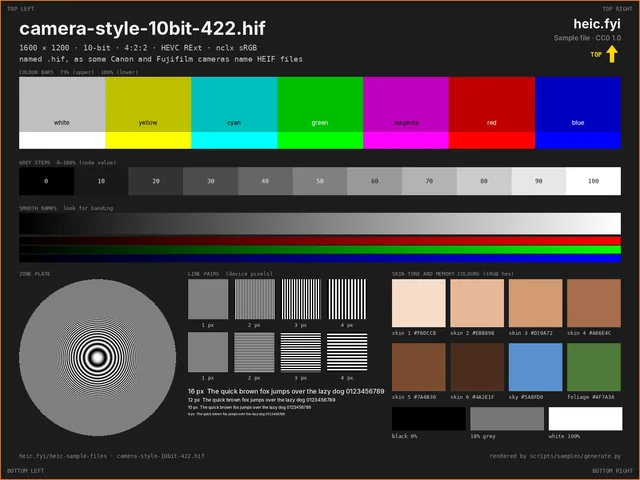
Preview of camera-style-10bit-422.hif: 10-bit 4:2:2 with a .hif name

10-bit 4:2:2 with a .hif name

camera-style-10bit-422.hif

The .hif extension, which some Canon and Fujifilm cameras use for HEIF, and a 10-bit 4:2:2 stream. That needs the HEVC Range Extensions profile, which decoders limited to the Main profiles cannot read.

Should look like

The standard chart, accepted despite the unfamiliar extension.

Signs of a problem

Rejected by extension before the contents are read, or a profile error from a hardware decoder.

File size
162.5 KB (166,349 bytes)
Dimensions
1600 × 1200
Codec
HEVC Format Range Extensions (RExt) · 10-bit · 4:2:2
ftyp brands
heix (compatible: mif1, heix, miaf)
Colour
nclx 1/13/6 full range (BT.709/sRGB, sRGB, BT.601)
SHA-256
18c2c514e66294eacb44ad752c8bf26352c054b8b9f58b42bcf6585c08ee18de
How we checked this file
  • Decoded with libheif 1.23.4 via pillow-heif 1.8.0.
  • In the heic.fyi viewer: opens at 1600 × 1200; flags the extension as not matching the contents.
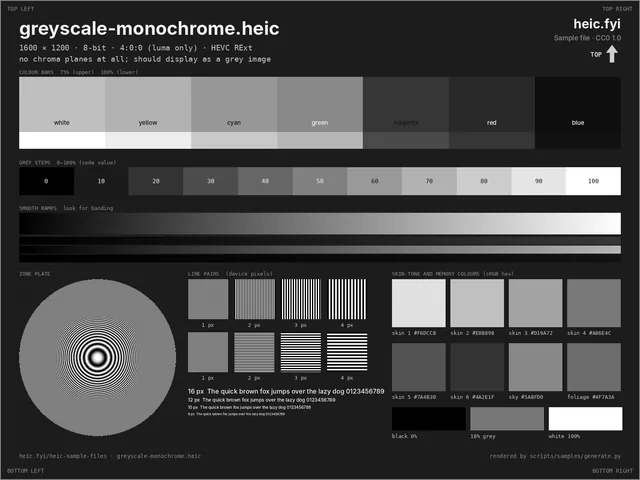
Preview of greyscale-monochrome.heic: Greyscale (4:0:0)

Greyscale (4:0:0)

greyscale-monochrome.heic

An HEVC stream with no colour planes at all (4:0:0, Range Extensions profile). Some decoders only handle 4:2:0.

Should look like

A grey version of the standard chart; the colour bars become grey bars of different brightness.

Signs of a problem

A green or pink cast, or an error, suggests the decoder mishandles the missing colour planes.

File size
175.5 KB (179,729 bytes)
Dimensions
1600 × 1200
Codec
HEVC Format Range Extensions (RExt) · 8-bit · 4:0:0
ftyp brands
heix (compatible: mif1, heix, miaf)
Colour
nclx 1/13/6 full range (BT.709/sRGB, sRGB, BT.601)
SHA-256
20e7d65bdf5335af4e4ba1091861fb60cf985723cfe019b74ba9504925ada67b
How we checked this file
  • Decoded with libheif 1.23.4 via pillow-heif 1.8.0.
  • In the heic.fyi viewer: opens at 1600 × 1200.
Preview of chroma-444.heic: Chroma 4:4:4 (pair with 4:2:0)
Preview is a 1:1 crop of the top-left corner.

Chroma 4:4:4 (pair with 4:2:0)

chroma-444.heic

One half of a matched pair: the same chart at the same quality setting as chroma-420.heic, but with full colour resolution. 4:4:4 needs the HEVC Range Extensions profile.

Should look like

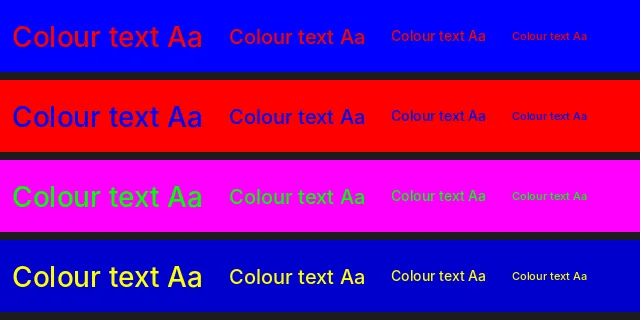
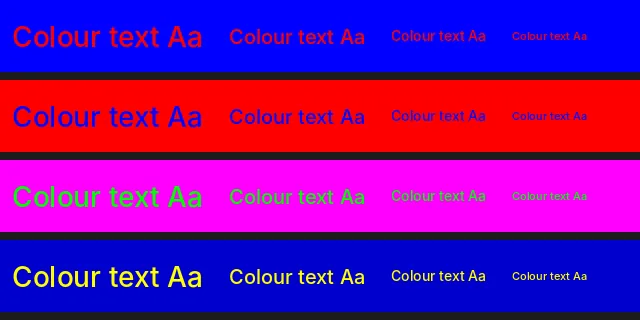
At 100% zoom the small coloured text stays crisp, and the 1-pixel stripes and the red/blue checkerboard keep their colours.

Signs of a problem

If it looks like the 4:2:0 file, something converted it to 4:2:0 on the way. If only this one of the pair fails to open, the decoder lacks Range Extensions support.

File size
158.2 KB (161,974 bytes)
Dimensions
1280 × 960
Codec
HEVC Format Range Extensions (RExt) · 8-bit · 4:4:4
ftyp brands
heix (compatible: mif1, heix, miaf)
Colour
nclx 1/13/6 full range (BT.709/sRGB, sRGB, BT.601)
SHA-256
bd38025c4aa97e4594d2910ce184f5c09b4a2173fbeb1b501e41f826844e60c3
How we checked this file
  • Mean absolute error in the 1-pixel stripe panels: 0.4 / 255
  • Decoded with libheif 1.23.4 via pillow-heif 1.8.0.
  • In the heic.fyi viewer: opens at 1280 × 960.
Preview of chroma-420.heic: Chroma 4:2:0 (pair with 4:4:4)
Preview is a 1:1 crop of the top-left corner.

Chroma 4:2:0 (pair with 4:4:4)

chroma-420.heic

The other half of the pair: colour stored at half resolution in each direction, as in nearly all photos.

Should look like

The small coloured text has soft, bleeding edges and the 1-pixel stripes merge into a flat mixed colour. That is what 4:2:0 does; it is not a decoder fault.

File size
120.1 KB (123,029 bytes)
Dimensions
1280 × 960
Codec
HEVC Main Still Picture · 8-bit · 4:2:0
ftyp brands
heic (compatible: mif1, heic, miaf)
Colour
nclx 1/13/6 full range (BT.709/sRGB, sRGB, BT.601)
SHA-256
ff0c0bf2bbfb58279d45e508bca7c5f95ff627647b219cd3fe07895c3bb476ff
How we checked this file
  • Mean absolute error in the 1-pixel stripe panels: 92.0 / 255
  • Decoded with libheif 1.23.4 via pillow-heif 1.8.0.
  • In the heic.fyi viewer: opens at 1280 × 960.

Container features

HEIF is a container that can hold more than one picture. These files check that a reader picks the right one and finds the rest.

Preview of thumbnail-embedded.heic: Embedded thumbnail (with a twist)
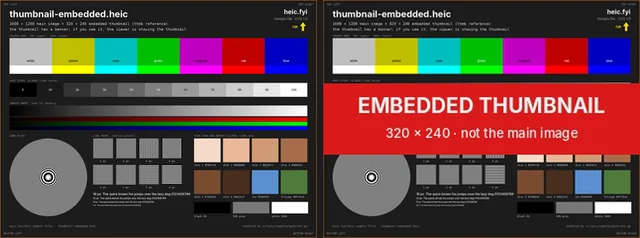
Left: the main image. Right: the embedded thumbnail.

Embedded thumbnail (with a twist)

thumbnail-embedded.heic

A 320 × 240 thumbnail linked to the main image with a thmb reference. We made the thumbnail deliberately different: it carries a red EMBEDDED THUMBNAIL banner that the main image does not have.

Should look like

Viewers show the full 1600 × 1200 chart with no banner. Thumbnail extractors return the 320 × 240 image with the banner.

Signs of a problem

If you see the banner in a full-size view, the app is showing the thumbnail instead of decoding the main image.

File size
205.8 KB (210,737 bytes)
Dimensions
1600 × 1200
Codec
HEVC Main Still Picture · 8-bit · 4:2:0
ftyp brands
heic (compatible: mif1, heic, miaf)
Colour
nclx 1/13/6 full range (BT.709/sRGB, sRGB, BT.601)
Features found in the file
  • Embedded thumbnail: 320 × 240 px (thmb reference)
SHA-256
f38af8720a2991f476bbd3af4e84ff0eefa0b4f676d177063e80f3729a4fac08
How we checked this file
  • Thumbnail decodes at 320 × 240 and shows the red EMBEDDED THUMBNAIL banner; the main image does not
  • Decoded with libheif 1.23.4 via pillow-heif 1.8.0.
  • In the heic.fyi viewer: opens at 1600 × 1200; shows the full 1600 × 1200 image, not the thumbnail.
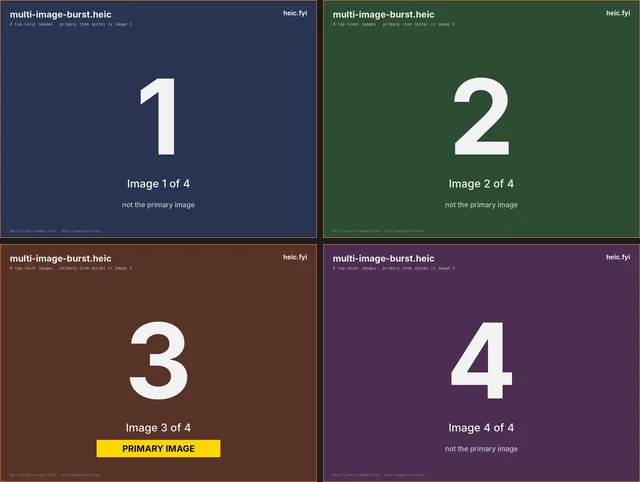
Preview of multi-image-burst.heic: Four images, primary is the third
All four images; image 3 is the primary.

Four images, primary is the third

multi-image-burst.heic

Four top-level images in one file, burst-style. The primary item (pitm) is image 3, not the first one stored.

Should look like

A viewer shows the large 3 with the yellow PRIMARY IMAGE label. Tools that list images find four.

Signs of a problem

Showing 1 means the reader took the first image instead of the primary item.

File size
169.8 KB (173,838 bytes)
Dimensions
1280 × 960
Codec
HEVC Main Still Picture · 8-bit · 4:2:0
ftyp brands
heic (compatible: mif1, heic, miaf)
Colour
nclx 1/13/6 full range (BT.709/sRGB, sRGB, BT.601)
Features found in the file
  • 4 top-level images; primary item (pitm) is image 3 of 4
SHA-256
a3f76e9b8552b1deca83b7196bfa637e2742894b7ff2a17deddcef24f010d813
How we checked this file
  • Four images decode; libheif reports image 3 as primary and it carries the PRIMARY IMAGE banner
  • Decoded with libheif 1.23.4 via pillow-heif 1.8.0.
  • In the heic.fyi viewer: opens at 1280 × 960; shows image 3, the primary item.
Preview of image-sequence.heics: Image sequence (.heics)
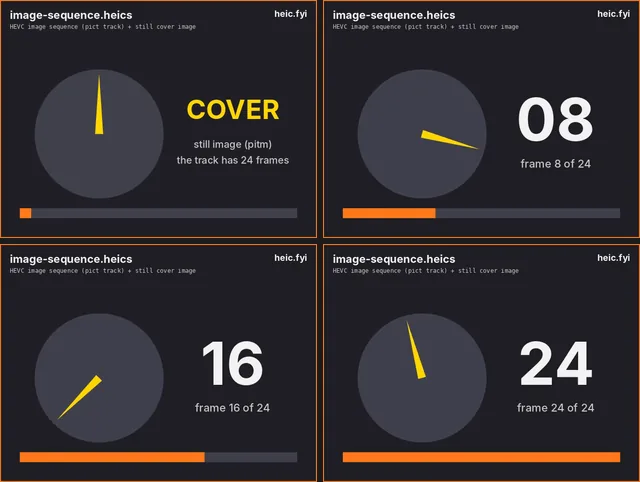
Cover still, then frames 8, 16 and 24 of the track.

Image sequence (.heics)

image-sequence.heics

An HEVC image sequence: a 24-frame, 2-second track (handler pict, 12 frames per second) plus a still cover image, with the msf1 major brand.

Should look like

Still-image viewers show the COVER frame. Sequence-aware players find 24 frames numbered 01 to 24, with a clock hand that goes round once.

Signs of a problem

An error instead of the cover image suggests the reader rejects files whose major brand is not heic.

File size
68.9 KB (70,512 bytes)
Dimensions
640 × 480
Codec
HEVC Main Still Picture · 8-bit · 4:2:0
ftyp brands
msf1 (compatible: msf1, iso8, mif1, heic, hevc, miaf)
Colour
nclx 1/13/6 full range (BT.709/sRGB, sRGB, BT.601)
Features found in the file
  • Image sequence track: handler 'pict', 24 frames, 2 s, HEVC 4:2:0 8-bit, 640 × 480
SHA-256
2473a42f107257b59afd961e7281f5ea65004219691aaf922d414f168a99a53a
How we checked this file
  • Still cover image decodes with libheif
  • FFmpeg 6.1.1-3ubuntu5 decodes all 24 frames of the track, in order
  • Decoded with libheif 1.23.4 via pillow-heif 1.8.0.
  • In the heic.fyi viewer: opens at 640 × 480; flags the extension as not matching the contents.
Preview of alpha-transparency.heic: Transparency (alpha)
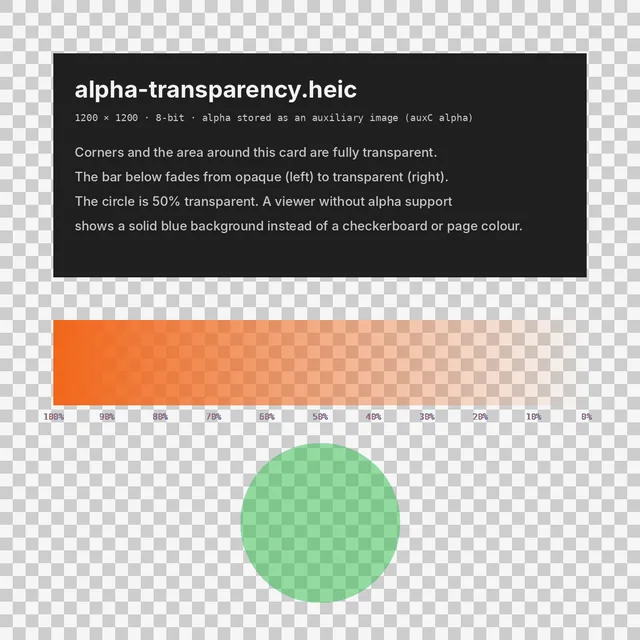
Preview composited over a checkerboard.

Transparency (alpha)

alpha-transparency.heic

Transparency stored as an auxiliary alpha image linked to the colour image.

Should look like

The corners and the area around the card are transparent, the orange bar fades from solid to clear, and the green circle is half transparent.

Signs of a problem

A solid blue background means the alpha was dropped. Converting to JPG always flattens it, because JPG has no transparency.

File size
85.7 KB (87,769 bytes)
Dimensions
1200 × 1200
Codec
HEVC Main Still Picture · 8-bit · 4:2:0
ftyp brands
heic (compatible: mif1, heic, miaf)
Colour
nclx 1/13/6 full range (BT.709/sRGB, sRGB, BT.601)
Features found in the file
  • Auxiliary alpha image (urn:mpeg:hevc:2015:auxid:1), 4:0:0 8-bit
SHA-256
5a2a4552c6aaa8787b396f5ba4c2a4fa762fb23cd320fbada007cd04ec4f007d
How we checked this file
  • Alpha decodes: corner 0, card 255, ramp midpoint 127, circle 128 (0–255)
  • Decoded with libheif 1.23.4 via pillow-heif 1.8.0.
  • In the heic.fyi viewer: opens at 1200 × 1200; keeps transparency.
Preview of depth-map.heic: Depth map (auxiliary image)
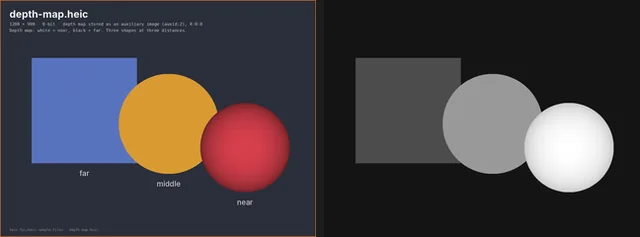
Left: the image. Right: the decoded depth map.

Depth map (auxiliary image)

depth-map.heic

A depth map stored as an auxiliary image of the standard HEVC depth type (urn:mpeg:hevc:2015:auxid:2), linked to the colour image. It has no depth-range metadata, so its values are relative.

Should look like

Viewers show only the colour image. Tools that read auxiliary images find a 1200 × 900 depth map: bright sphere (near), mid-grey circle, darker square (far) and a near-black background.

Signs of a problem

Seeing the greyscale map as the photo means the reader picked the wrong item.

File size
72.2 KB (73,923 bytes)
Dimensions
1200 × 900
Codec
HEVC Main Still Picture · 8-bit · 4:2:0
ftyp brands
heic (compatible: mif1, heic, miaf)
Colour
nclx 1/13/6 full range (BT.709/sRGB, sRGB, BT.601)
Features found in the file
  • Auxiliary depth image (urn:mpeg:hevc:2015:auxid:2), 4:0:0 8-bit
SHA-256
e7a8fd35b95ca10f29b6a88af7c1d1d6a3fa859fb97bdf6fb253ee16e6717e7b
How we checked this file
  • libheif exposes one depth image; values near 255, middle 153, far 76, background 20
  • Decoded with libheif 1.23.4 via pillow-heif 1.8.0.
  • In the heic.fyi viewer: opens at 1200 × 900.
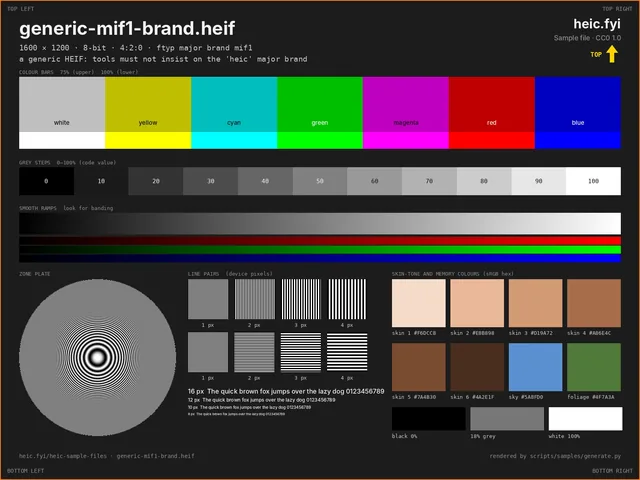
Preview of generic-mif1-brand.heif: Generic HEIF (mif1 brand, .heif)

Generic HEIF (mif1 brand, .heif)

generic-mif1-brand.heif

A .heif file whose ftyp major brand is the generic mif1, with heic still listed as compatible. Tools that check only the major brand will wrongly reject it.

Should look like

Opens exactly like the basic file.

File size
179.4 KB (183,754 bytes)
Dimensions
1600 × 1200
Codec
HEVC Main Still Picture · 8-bit · 4:2:0
ftyp brands
mif1 (compatible: mif1, heic, miaf)
Colour
nclx 1/13/6 full range (BT.709/sRGB, sRGB, BT.601)
SHA-256
1c3cb942025bce0d3d45c7d98ecb94846c9da760700d5c025d3e80852027dede
How we checked this file
  • Decoded with libheif 1.23.4 via pillow-heif 1.8.0.
  • In the heic.fyi viewer: opens at 1600 × 1200.
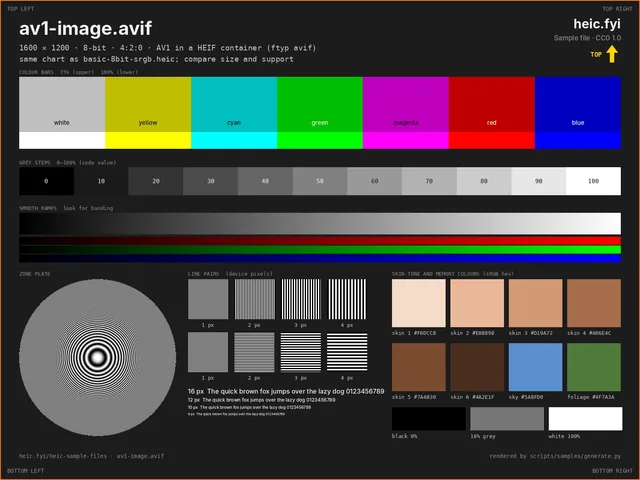
Preview of av1-image.avif: AV1 in the same container (AVIF)

AV1 in the same container (AVIF)

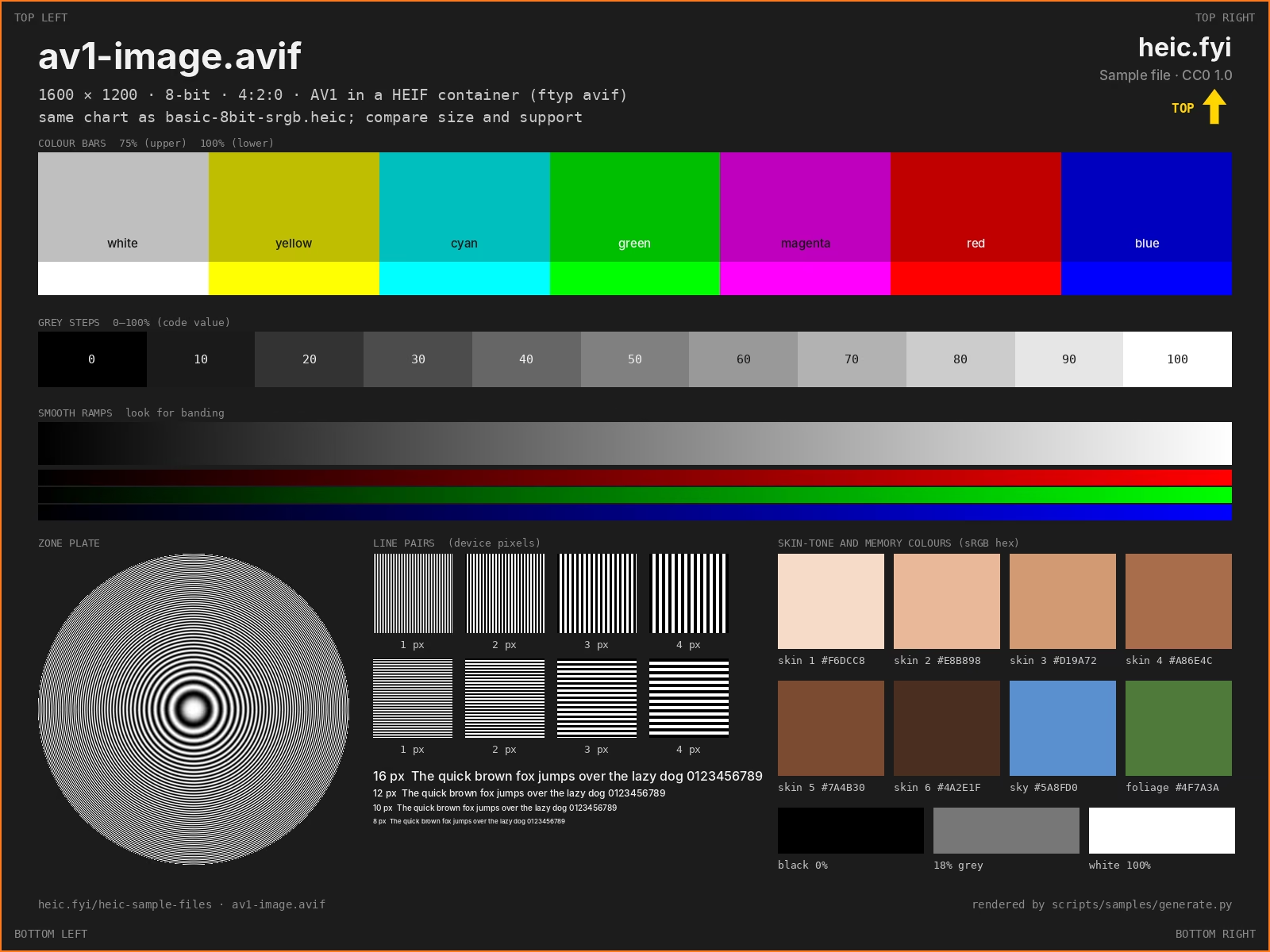
av1-image.avif

The same chart coded with AV1 instead of HEVC (ftyp avif). AVIF uses the HEIF container too, so this checks that a tool tells the two codecs apart. It was encoded at a lower quality setting than the HEIC files, so do not use it to compare compression.

Should look like

Browsers with AVIF support show it directly. A HEIC-only decoder should report an unsupported codec rather than crash.

File size
50.1 KB (51,318 bytes)
Dimensions
1600 × 1200
Codec
AV1 Main · 8-bit · 4:2:0
ftyp brands
avif (compatible: mif1, avif, miaf)
Colour
none (decoder default)
SHA-256
486bea7cb76e7138fdfb38817b3c5c40b0b449b20dc6cdefd3a142917e365cd9
How we checked this file
  • Decodes with libavif (Pillow); pillow-heif here has no AV1 decoder, which is itself a useful reminder that AVIF needs a different codec
  • Decoded with libavif via Pillow 12.3.0.
  • In the heic.fyi viewer: opens at 1600 × 1200.

Performance

One large file for decode time and memory. Everything else here is small enough to open instantly.

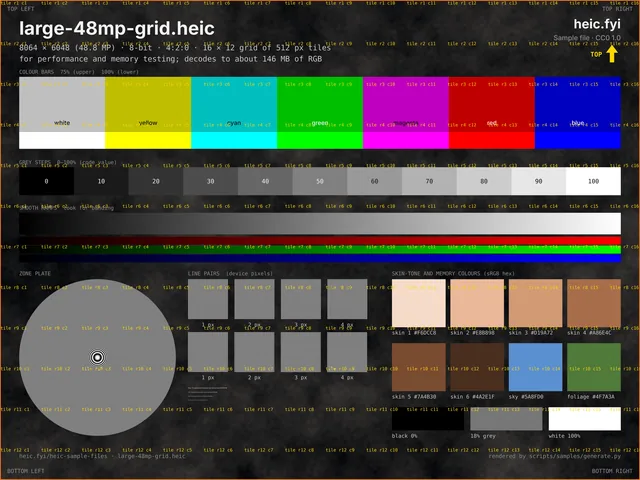
Preview of large-48mp-grid.heic: 48 MP image (16 × 12 grid)

48 MP image (16 × 12 grid)

large-48mp-grid.heic

8064 × 6048 pixels (48.8 MP) in 192 tiles of 512 px. Decoded RGB alone is about 146 MB; with an alpha channel for a canvas, about 195 MB. The background carries fine procedural noise so the file is not unrealistically small for its size.

Should look like

The full chart with tile labels in order from r1 c1 to r12 c16 and the orange frame on all four edges.

Signs of a problem

Out-of-memory errors, a blank canvas, or a silently reduced image. Browsers limit canvas size, so web tools may need to scale down; they should say when they do.

File size
5.9 MB (6,172,972 bytes)
Dimensions
8064 × 6048
Codec
HEVC Main Still Picture · 8-bit · 4:2:0
ftyp brands
heic (compatible: mif1, heic, miaf)
Colour
nclx 1/13/6 full range (BT.709/sRGB, sRGB, BT.601)
Features found in the file
  • Grid image: 16 × 12 tiles of 512 × 512 px (192 tile items)
SHA-256
bf62ab0056e848f7a9fbec4254299d6be1da92a95569a781d3fa0e9e1875ab30
How we checked this file
  • Orange frame present on all four edges after decoding (grid output crop is correct)
  • Decoded with libheif 1.23.4 via pillow-heif 1.8.0.
  • In the heic.fyi viewer: opens at 8064 × 6048.

Broken and mislabelled files

For error handling. A good tool explains what is wrong instead of crashing, hanging or showing a blank image.

No preview: this file is meant not to decode.

Truncated file

broken-truncated.heic

The first 60% of basic-8bit-srgb.heic. The header and item table are intact, but the coded image data stops early, as after an interrupted download.

Should look like

A clear message that the file is incomplete or damaged.

Signs of a problem

A crash, a hang, or a partial image with no warning.

File size
107.3 KB (109,836 bytes)
ftyp brands
heic
SHA-256
7c95d6452f3dadf6da09a5dce3e05f81d26b6043fee00026fbd67a5158d555e0
How we checked this file
  • libheif refuses it: “Invalid input: Unexpected end of file: Extent in iloc box references data outside of file bounds (points to file position 380)”
  • Box parser: box 'mdat' at offset 372 claims 182689 bytes but only 109464 remain
  • First 109,836 of 183,061 bytes of basic-8bit-srgb.heic (60%)
  • In the heic.fyi viewer: shows the error “We could not read this HEIC container”.
No preview: this file is meant not to decode.

Damaged ftyp box

broken-ftyp.heic

A copy of the basic file with the brand fields of its ftyp box overwritten with zeros, so nothing in the file says it is HEIF.

Should look like

Rejected as not a HEIC or HEIF file.

Signs of a problem

A crash, or a generic error that gives no hint about the cause.

File size
178.8 KB (183,061 bytes)
ftyp brands
00 00 00 00 (compatible: 00 00 00 00, 00 00 00 00, 00 00 00 00)
SHA-256
142c0331e97c23ea0e094e9cac529dcba098968ab447a690179d0664790909a9
How we checked this file
  • libheif refuses it: “Unsupported file-type: Unspecified: File does not include any supported brands.”
  • In the heic.fyi viewer: shows the error “This file is not a HEIC/HEIF image”.
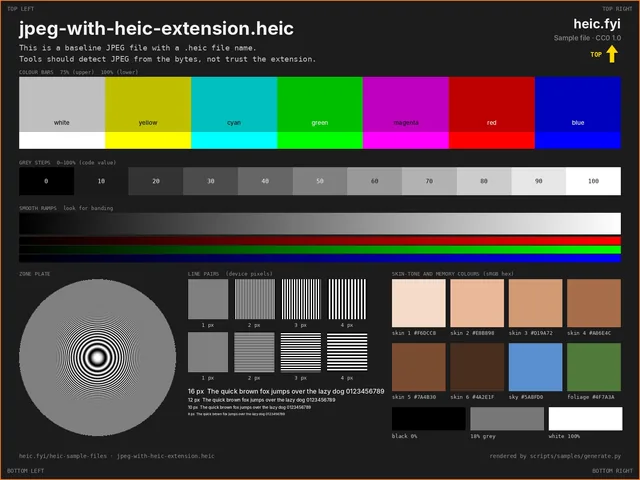
Preview of jpeg-with-heic-extension.heic: JPEG named .heic

JPEG named .heic

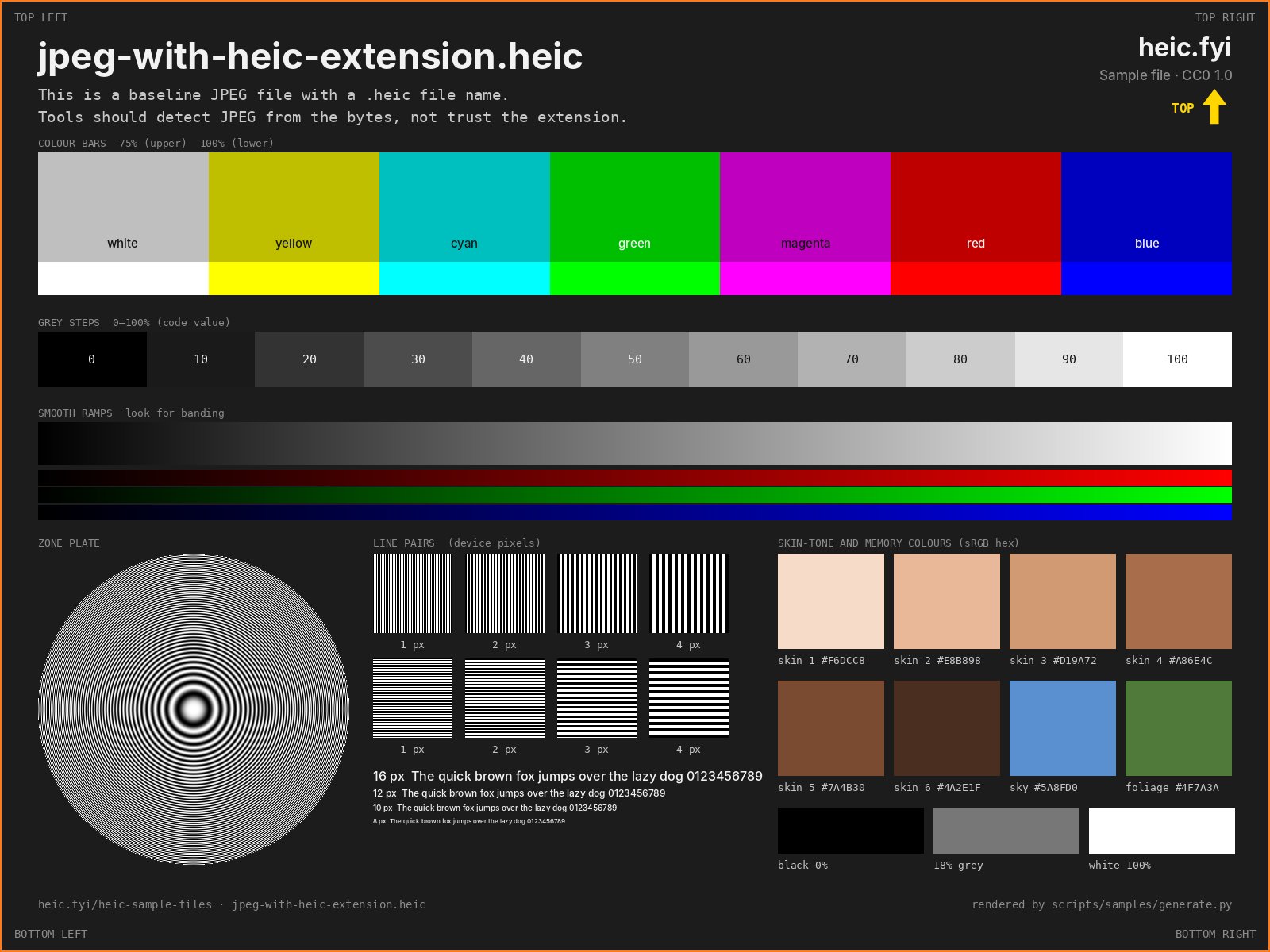
jpeg-with-heic-extension.heic

A baseline JPEG with a .heic name, as left behind by renaming. Its first bytes are the JPEG marker FF D8 FF.

Should look like

The tool detects JPEG from the contents and either opens it as a JPEG or says what it really is.

Signs of a problem

A HEIC decoding error with no hint that the file is a JPEG.

File size
232.6 KB (238,147 bytes)
Dimensions
1600 × 1200
Codec
Baseline JPEG · 8-bit · 4:2:0
SHA-256
cf9375ad0c0724d26f2aa3b0b8bf50856f344d20fb8db65efb0819967f304229
How we checked this file
  • Starts with the JPEG marker FF D8 FF; Pillow opens it as JPEG; libheif refuses it: “Invalid input: No 'ftyp' box: File does not start with 'ftyp' box.”
  • In the heic.fyi viewer: shows the error “Unsupported file format”.
Preview of heic-with-jpg-extension.jpg: HEIC named .jpg

HEIC named .jpg

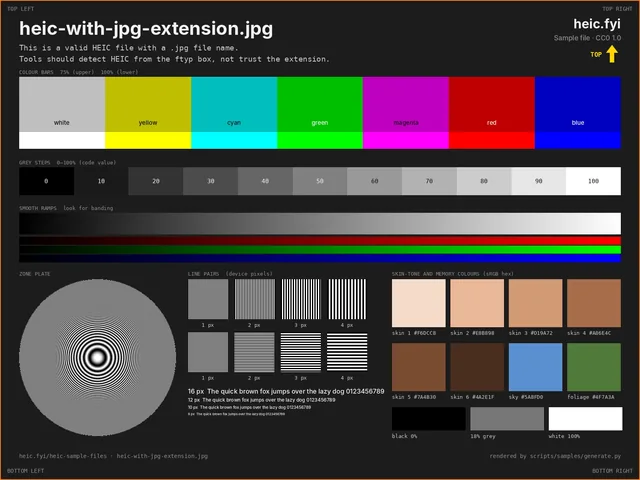
heic-with-jpg-extension.jpg

A valid HEIC with a .jpg name.

Should look like

Opens in tools that read the contents rather than trust the extension. Ideally the tool also points out the mismatch.

Signs of a problem

Rejected as a broken JPEG.

File size
182.9 KB (187,263 bytes)
Dimensions
1600 × 1200
Codec
HEVC Main Still Picture · 8-bit · 4:2:0
ftyp brands
heic (compatible: mif1, heic, miaf)
Colour
nclx 1/13/6 full range (BT.709/sRGB, sRGB, BT.601)
SHA-256
4d9de558632740b6ba93b5d8624f0c4cf08a541276b310bbb4c28c67d9a49443
How we checked this file
  • A valid HEIC (ftyp heic); decodes with libheif despite the .jpg name
  • Decoded with libheif 1.23.4 via pillow-heif 1.8.0.
  • In the heic.fyi viewer: opens at 1600 × 1200; flags the extension as not matching the contents.

How these files were made

Each image is a test chart drawn by a Python script: colour bars, grey steps, smooth ramps, a zone plate, line pairs, skin-tone patches and labels naming the file and its properties. The script then encodes it with libheif and the x265 HEVC encoder. No photographs or third-party images are used. The Display P3 ICC profile in display-p3-10bit.heic was also written by the script, from the published P3 primaries and white point.

libheif wrote most files as they are. A few needed small changes at box level afterwards, made with a short parser that rebuilds the item offsets:

  • generic-mif1-brand.heif: major brand changed from heic to mif1.
  • thumbnail-embedded.heic: the thumbnail libheif generated was replaced with a separately encoded one that carries the banner.
  • depth-map.heic: libheif wrote the depth map as an alpha image; its type was then changed from auxid:1 (alpha) to auxid:2 (depth).
  • image-sequence.heics: FFmpeg encoded the track with libx265; it was moved into a HEIF file beside a libheif-encoded cover image, its handler set to pict and a coding-constraints (ccst) box added.
  • The broken files: cut short, or with the ftyp brands zeroed, from a copy of the basic file.

A second script then checks every file: it decodes each one with libheif (Pillow with libavif for the AVIF and JPEG files), reads the boxes, compares the pixels with the source charts where that makes sense, confirms that the broken files are refused, and stops if anything fails. The sequence track is checked with FFmpeg, because the pillow-heif release we used does not expose libheif's sequence functions. The viewer check ran in Chromium 141.0.7390.37 (Playwright, headless) on 11 October 2026.

Tool versions used to make and check the files
ToolVersionUsed for
libheif1.23.4HEIF writing and the reference decode
x2654.2+1-e444744HEVC encoding, through libheif
libde2651.1.3HEVC decoding in the checks
pillow-heif1.8.0Python bindings for libheif
Pillow12.3.0Text, previews, JPEG, AVIF decoding, ICC checks
NumPy2.5.3Drawing the charts
Python3.13.16Generator and verifier
FFmpeg6.1.1-3ubuntu5Sequence track (libx265) and its decode check
sharp0.35.4 (libheif 1.23.2, aom 3.15.0)The AVIF file
FontsInter 4.0 (SIL OFL) and DejaVu Sans Mono 2.37Labels drawn into the charts

The scripts are in the source folder of the ZIP. To rebuild and re-check the set:

python3 generate.py   # renders the charts and writes the files
python3 verify.py     # decodes, checks, writes previews, SHA256SUMS and the ZIP

Encoder builds differ, so a rebuild may not be byte-identical. The SHA-256 values on this page belong to the published files. manifest.json has every measured property in machine-readable form.
Not in this set

  • Photographs. Everything here is a rendered chart.
  • iPhone-specific data: gain-map HDR, Live Photo links, Apple maker notes and portrait mattes.
  • HEIF files using codecs other than HEVC and AV1, such as VVC or JPEG 2000.
  • 12-bit and 16-bit images, and animated AVIF.

Licence: CC0, no attribution required

We have waived all copyright and related rights in these files under CC0 1.0 Universal (opens in a new tab). Use them for anything, including commercial products, bug reports, test suites and documentation. You do not need to credit heic.fyi, though a link to this page is always welcome.

The GPS position in exif-gps-date.heic is fake and points at the Royal Observatory, Greenwich. No file contains personal data.

Frequently asked questions

Tools to try them with

Files generated and checked on . Found a file that does not behave as described? Tell us.